

Healthify
AI Voice Mode(WIP)
Building a native voice mode interface for Healthify's AI coach, Ria
goal
Integrating Healthify's key features into a voice interface.
my role
Onboarding
Conversation Design
Motion Design
ElevenLabs Experiments
Discovery
team
Me
Jaishree Garg(Director of Design)

Check out the live experience
(Sound on)
0.1
Ria Voice Intro
Featured on

> some context
In 2018, Ria came into existence with humble beginnings
and a chronic tendency to hallucinate.
Flash forward to today, AI plans make up 74% of sales, and can:
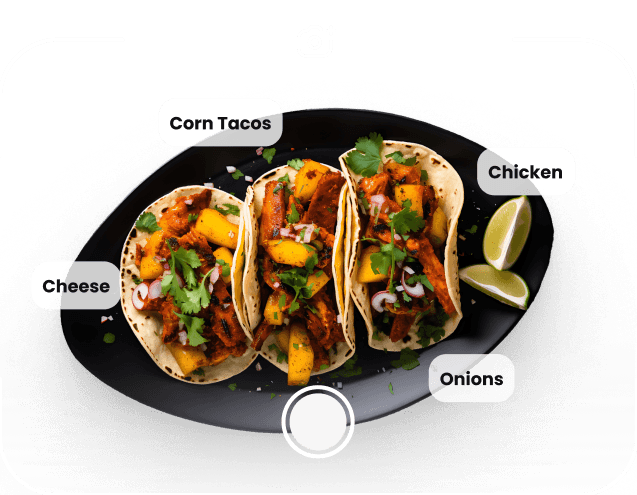
Track your meals and give a score
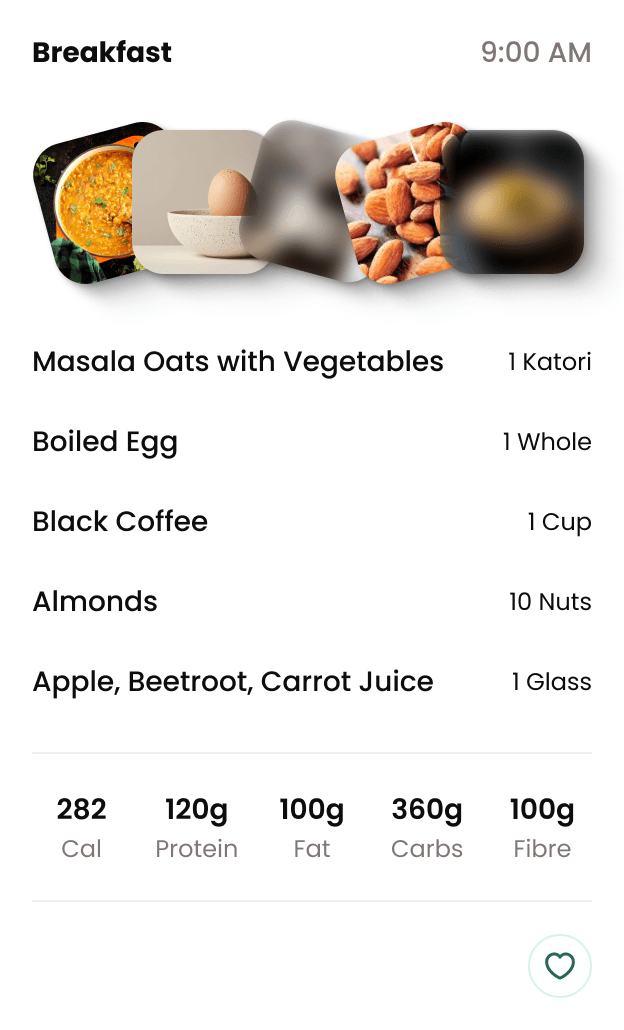
Create meal plans matched to your calorie budget
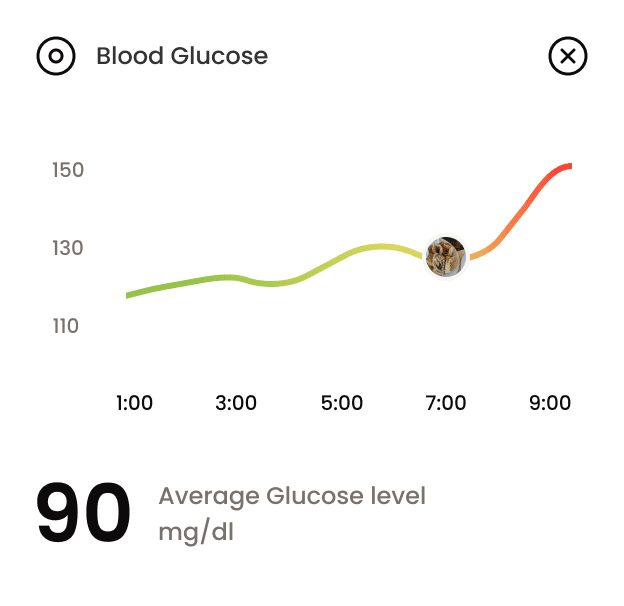
Analyse your glucose levels
The next step? Giving Ria a voice mode.
> understanding the ai voice landscape
From ChatGPT to Gemini, most AI voice modes share the same patterns.
Ours… couldn't. Here's why:



Existing voice modes centered around conversations, with limited modalities,
and its users are familiar with AI.

But Healthify is not an AI conversation app. AI is just one feature among many,
and many of our users have never, ever used AI.
I realised that there were no AI voice modes(at the moment) that enabled interactions the way we needed to.
This was going to be a bit of a novel exploration.
Our voice mode would have to:
ease users into the concept of AI chats.
input and output complex health data through natural voice conversations.
> Onboarding users: the first chat
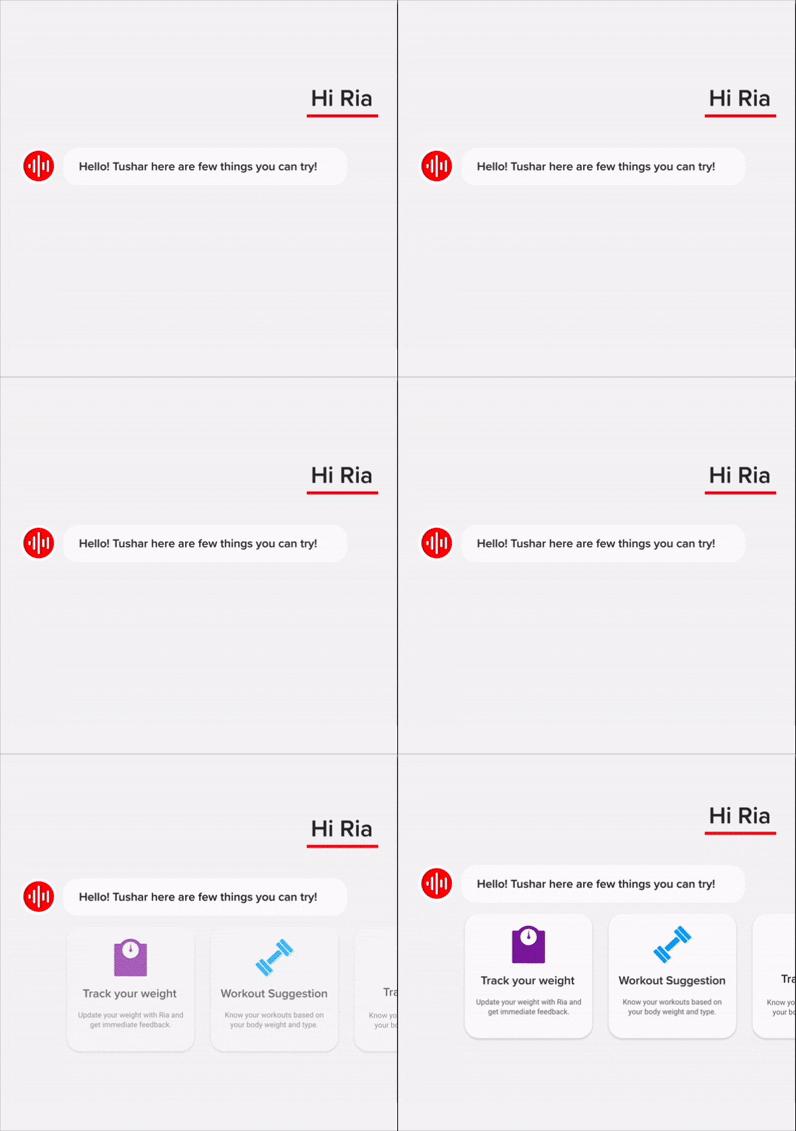
Ria starts the conversation, not the user
In all other AI chats, the AI bot only triggered when the user started speaking. As I approached these voice modes, I felt a little uncomfortable seeing a blank bubble.
And I thought Ria, as the health coach, should begin the conversation.

1.0
Ria Starts
Letting Ria start would help avoid the Blank Page Syndrome*

In a real conversation, the coach would lead the chat and ask questions.

The user wouldn't have to hesitate wondering what to say

Users have confidence that AI can do what it said without error/hallucinating
*Blank Page Syndrome is when someone feels stuck or anxious starting a task that requires creating something from scratch.
> entrypoints
Ria would need both temporary entry points for discovery and permanent homes on the app. I created them.
I introduced Voice when users opened an interaction that would become easier with speech, such as tracking with search or
2.0
Introducing Voice when the user clicks a feature that is easier with speech
2.1
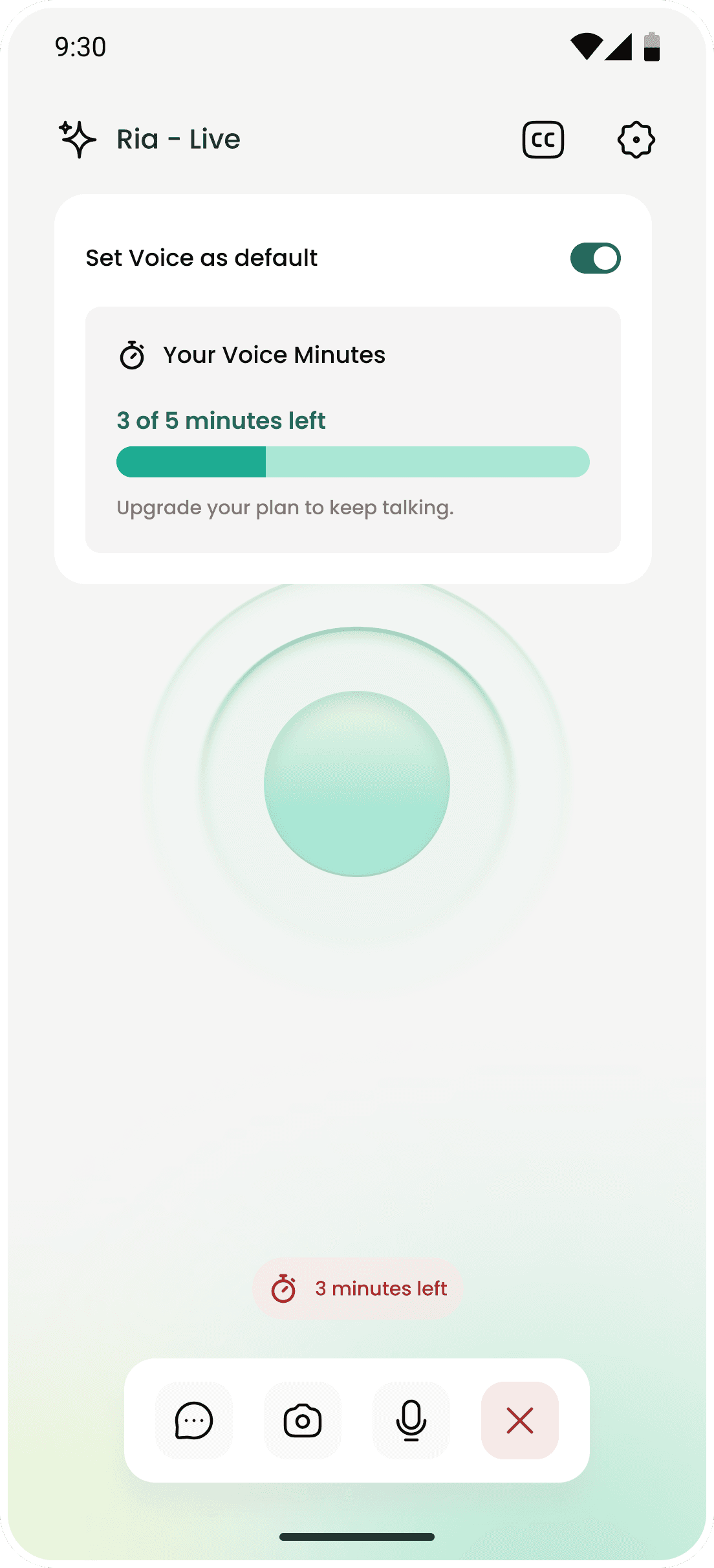
Setting Voice mode as default
2.2
Letting users pick between chat and voice
2.3
Ria Voice button on chat
> Tracking meals
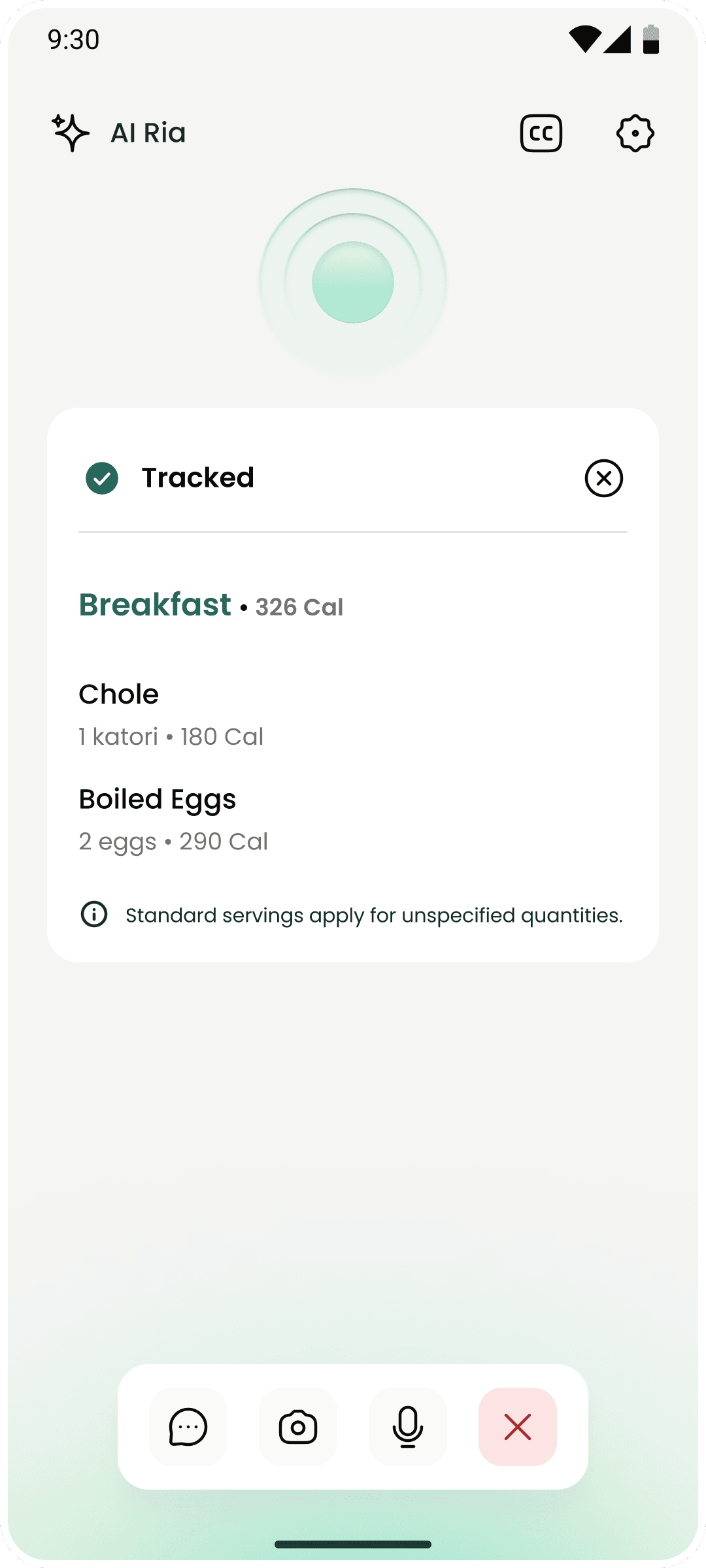
For tracking, I used a modular interface that contracts and expands as data pops in and out
Like a conversation with, say, a doctor, where, within conversations they may pull out documents and then put them away.
The ria orb contracts and moves up

Input/output card pops in


Default
modular view
?
Why can't Ria just say the meals have been tracked and be done with it?
Voice, so detached from the the primary interfaces users are comfortable tracking with, giving visual confirmation that their requests have successfully been executed, with UI they are familiar with, was important to make them feel confidence using AI with.
> input: camera view
Snapping a meal
3.0
Snap
4.0
Track Viewtype
> output one: snap to track
Tracking a snapped meal
> output two: speak to track
Saying what you ate and tracking it
5.0
Speak To Track Viewtype
> the thinking mode
I added the "Thinking mode" here to indicate when Ria has moved from listening to performing a function
This helps give the user some acknowledgement that their request is being executed and accounts for the potentially awkward silence.

> error states
Verbal error states
Treating errors as part of the conversation, rather than showing them in passive UI toasts keeps users focused on the one mode - voice.
It also reinforces the fact that Ria isn't just bluffing, she's making real function calls and updating things in the app.
6.9
Error
> experimenting with voices
Making Voices
Wondering about the kind of voice Ria should have, her style of speaking and tone, I tinkered with multiple voices on ElevenLabs.
Aspects like similarity, stability, and style exaggeration could change the tone and feeling of the AI entirely.
These are both the same voices!
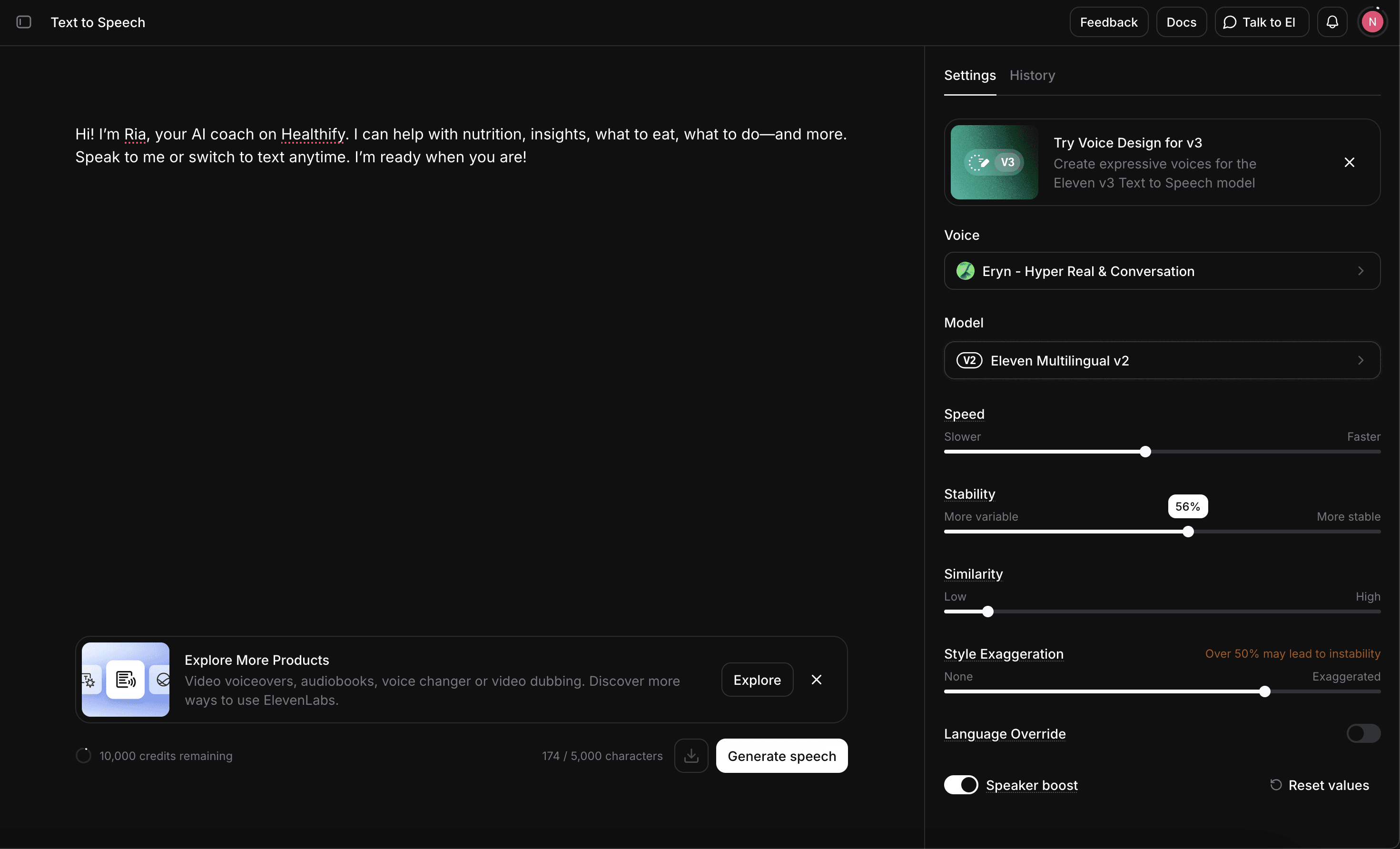
Aspects like similarity, stability, and style exaggeration could change the tone and feeling of the AI entirely.
Some things I learned
Trying to make a standard experience for a product where you don't know the output
Unliek traditional products where you know what the happy state's result should be, AI's output is always uncertain. I had to work around giving a sense that the experience was "official" and impacted the overall app.
Designing in a space without established design patterns
With such a new and fast moving field, I found that I wasn't able to benchmark safely, and a lot of our use cases didn't even exist before. This was a fun new position I found myself in, where a lot of the decisions I made were specific to us.
© 2025 Nandini Vyas. All rights reserved.
Yep, this one is also made with AI.
Copy component
Copied

Click to copy my email
copied
in
cv
